The On It Studio
How Do I Set Up a Shopify Low Stock Alert? A 4-Step Setup
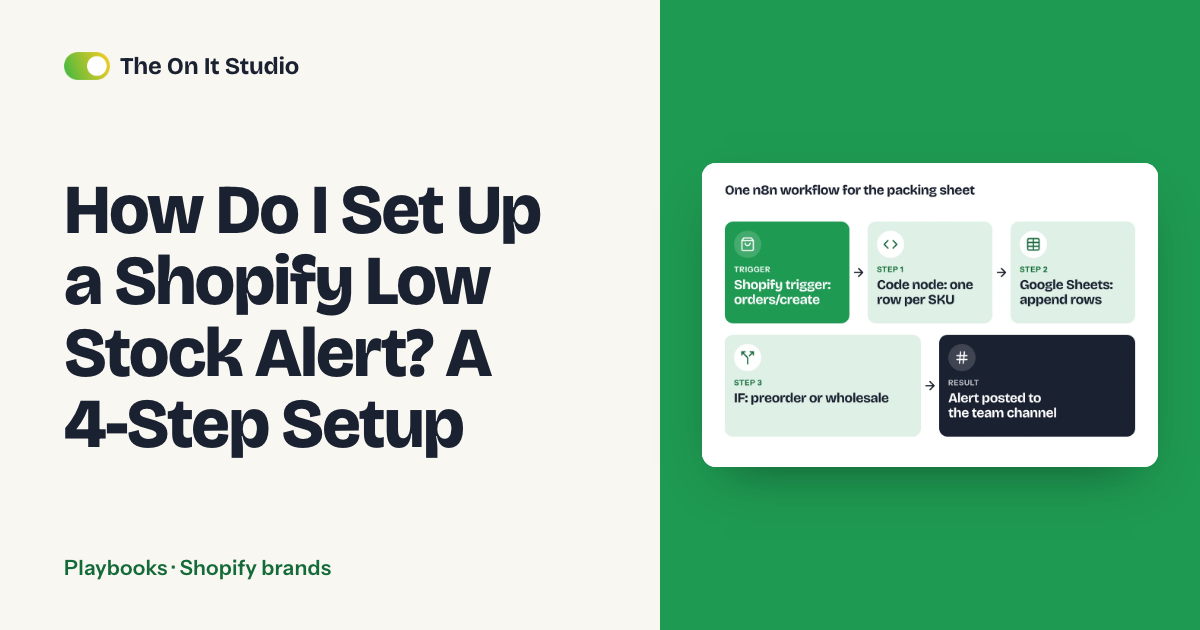
If you find out your best seller is down to three units because a customer emailed you, this guide is for you. We'll set up a Shopify low stock alert in Shopify Flow that fires once per variant, at a number worked out for that variant, and messages one named person by email or Slack. You'll need your Shopify admin and a Google Sheet with your supplier lead times. Setup takes an afternoon, plus a test.
What is a Shopify low stock alert, and who needs one?
It's an automatic message telling one person that a variant has hit its reorder point. You need one if your suppliers take days or weeks to deliver, because the message has to land early enough for a new order to arrive before the shelf is empty.
You can check stock by hand in your admin's inventory list. Flow does the remembering for you. It only works if each variant has its own number.
How do you work out the right low stock number for each product?
Use one formula per variant: reorder point = (average units sold per day x supplier lead time in days) + safety stock. Flow sends the alert when available stock drops to that number.
A flat "alert at 5" across the whole catalog is the mistake we'd fix first. If a variant sells 4 a day, 5 units is 1.25 days of stock, and a supplier who takes 10 days to deliver can't beat that.
For safety stock, use one rule on all rows. A simple one: 5 days of sales, rounded up, with a minimum of 3 units. The table runs the formula on three made-up products, so swap in your own inputs:
| Product | Units per day (assumed) | Lead time (assumed) | Safety stock (5 days, min 3) | Alert at |
|---|---|---|---|---|
| Fast seller | 4 | 10 days | 20 | (4 x 10) + 20 = 60 |
| Medium seller | 1.5 | 14 days | 8 | (1.5 x 14) + 8 = 29 |
| Slow seller | 0.2 | 30 days | 3 | (0.2 x 30) + 3 = 9 |
Units per day is a variant's units sold over the last 30 days in the Shopify sales report, divided by 30. Lead time is how long your supplier's last two or three deliveries took, counted from order day to stock on your shelf. Step 1 turns both into a sheet.
How do you set up a Shopify low stock alert in 4 steps?
- Give each variant an alert number and store it in the admin.
- Build a Flow workflow that checks available quantity against that number.
- Send the message to one named owner, and mark the variant as alerted.
- Test on a dummy variant, then tune.
We haven't confirmed these Flow options against Shopify's help pages. Before you build, check that Flow lets you compare available quantity to a variant metafield and update a variant metafield.
Step 1: Set the threshold per variant
Start a Google Sheet with these columns: product, variant/SKU, units per day, lead time days, safety stock, alert at, owner. Put the formula from above in "alert at".
- Open the sales report in your admin and note units sold per variant over the last 30 days
- Fill in one row per variant, best sellers first
- In Settings, under custom data (metafields) for Variants, add two metafield definitions: "alert_at" for a whole number and "alerted" for a yes/no value, using the closest types the editor offers
- Open each variant, enter its number in "alert_at" and set "alerted" to false
- Create a draft product named ZZ-TEST (Status: Draft) with one variant, stock 10, "alert_at" of 5 and "alerted" set to false. It stays out of your store, and you delete it after Step 4
- Test: reload the dummy variant and confirm "alert_at" shows 5 and "alerted" shows false
Step 2: Build the alert workflow
- Open Apps > Flow > Create workflow
- Pick the trigger that runs when inventory quantity changes
- Add a condition: available quantity is less than or equal to the variant's "alert_at" metafield
- Add a second condition: the variant's "alerted" metafield is not true
- Test: set ZZ-TEST stock to 4, then open the workflow's run history and confirm both conditions show true
Don't skip the second condition. Without it, expect another message with each sale under the line, and by the fourth one someone has muted the channel.
Stock in more than one location? Decide whether your number means one location or all of them, and point the condition at that same quantity. A number meant for total stock fires early when the condition reads a single location.
Step 3: Send the alert and set the flag
Write the message so the owner can reorder without opening anything else.
- Add an email action or a Slack action (for Slack, connect your workspace in Flow first if it asks)
- Send it to one person. In Slack, mention them by name so it's clear who reorders
- Paste in a message like: "Low stock: [product] / [variant]. [quantity] left, reorder point [alert_at]. Reorder here: [admin link to the product]"
- Add a final action that sets the variant's "alerted" metafield to true
- Create a second workflow with the same trigger. Its conditions: available quantity is greater than "alert_at", and "alerted" is true. Its action: set "alerted" to false
- Test: click the link in the test message and confirm it opens the right product
Here's the part nobody tells you: the alert isn't the product. The reset is. The "alerted" flag stops repeat messages, but if nothing clears it after a restock, that variant won't warn you again until someone flips it back by hand. Your second workflow clears it as soon as stock climbs back above the number.
Keep the flag on the variant. A product tag would silence every other variant of that product the first time one of them alerted.
Step 4: Test and tune
Run this checklist before you trust the alert with real products:
- Dummy variant ZZ-TEST exists with "alert_at" of 5 and "alerted" set to false
- Stock is set above the number (10)
- Lower stock to 4 and confirm one message arrives
- Lower it to 3 and confirm no second message arrives
- Raise it to 10, lower it to 4 again, and confirm a new message arrives (the reset worked)
- Click the link, confirm it opens the right product, then delete the ZZ-TEST draft product
Tune after a few weeks of real use. If your buyer reorders the day the alert lands and still runs short, raise that row's lead time or safety stock. Alerts that show up long before anyone needs to act mean the number's too high, so lower it.
What does the finished workflow look like? (copy this table)
Both workflows and the two human jobs fit on one page. Copy it and put a real name in the two cells a person owns.
| Trigger | Step | Tool | Owner |
|---|---|---|---|
| Inventory quantity changes | Check available quantity is at or below "alert_at" and "alerted" is not true | Shopify Flow | Flow (automatic) |
| Conditions pass | Send message with product, variant, quantity, link; set "alerted" to true | Flow email or Slack action | Flow (automatic) |
| Message arrives | Reorder, or note in the sheet why you're waiting | Your supplier channel | Named buyer |
| Stock rises above "alert_at" | Set "alerted" back to false | Second Flow workflow | Flow (automatic) |
| First of the month | Review units per day, lead times, safety stock | Calendar reminder, Google Sheet | Ops owner |
The "alert_at" values in the first row come from the Step 1 sheet. Keep that sheet in one shared place, and give the monthly review one name. Without a named owner, the review slips for months and the thresholds go stale.
Should you do it by hand or automate it?
Do it by hand while a weekly look at your admin's inventory list still catches each variant before it can sell through your lead time. If every variant has more stock than it sells over a week plus your supplier's lead time, a Friday check is enough.
Automate once a fast seller can run out between two of your checks, which gets more likely as lead times stretch and your variant count grows. The cost is upkeep. Flow compares stock to the numbers you gave it, so someone has to keep those numbers current, or you'll get an on-time alert for a sales pace you no longer have.
Weighing a paid inventory app instead? Read what inventory reorder automation costs first to see what you'd be comparing against. For a heavier route that handles more than alerts, seven Shopify workflows to build in n8n lists what we'd build first.
What usually breaks, and how do you keep the alert working?
Your catalog and sales pace keep moving, and the sheet only moves when someone updates it. Once a month, spend about ten minutes on these checks:
- New variants arrive with a blank "alert_at", so the condition never passes. Filter the sheet for blanks
- A sales spike or supplier change leaves a threshold stale. Compare last month's units per day to the sheet
- The owner left or changed roles. Confirm the name in the owner column and in the Slack mention
- An app or settings update paused a workflow. Open Flow and confirm both workflows are on
- Repeat messages are back, or a variant has gone quiet. Look for variants stuck on "alerted" that are back above their number
Add "alert number set" to your new-product checklist and you'll find fewer blanks each month.
If the monthly check keeps catching stale sales numbers, a weekly report for a Shopify brand puts your numbers in front of you every week instead of every month. You'll find it in the Shopify brands hub with the other guides for product stores, and the Playbooks hub has more builds in this format.
What should you do first?
Fill in the threshold sheet for your five best sellers. It takes about an hour, and it'll show you which of them already sit under their real reorder point.
The On It Studio runs and automates this kind of admin. See our Shopify automation service, or tell us where your week goes in the free ops audit and we'll send back the jobs we'd take off your plate.
Frequently asked questions
How do I get notified when Shopify inventory is low?
Build a Shopify Flow workflow on an inventory quantity change trigger that sends an email or Slack message if available quantity is at or below your alert number. Steps 2 and 3 above walk through the trigger, the conditions and the message.
Does Shopify have a built-in low stock alert?
Not one you can set per product, as far as we've found. You can check stock by hand in your admin's inventory list, or build a Flow workflow with your own number for each variant (Step 1) that messages a named owner.
Can Shopify Flow send low inventory notifications to Slack?
If your Flow action list has a Slack action, connect your Slack workspace, point it at a channel and mention one named owner so the alert has someone responsible for it (Step 3).
What is a good reorder point for a small online store?
It depends on how fast each variant sells and how long your supplier takes. Use (units sold per day x lead time in days) + safety stock per variant, so a fast seller and a slow seller get different numbers.
How do I stop Shopify from selling out-of-stock products?
An alert warns you before you run out, so you can reorder in time. What happens at zero stock is set elsewhere, so check your variant's inventory settings in your admin.